Learn more: 2026 Annual Grants Training

Accessing & Reviewing a Group Account

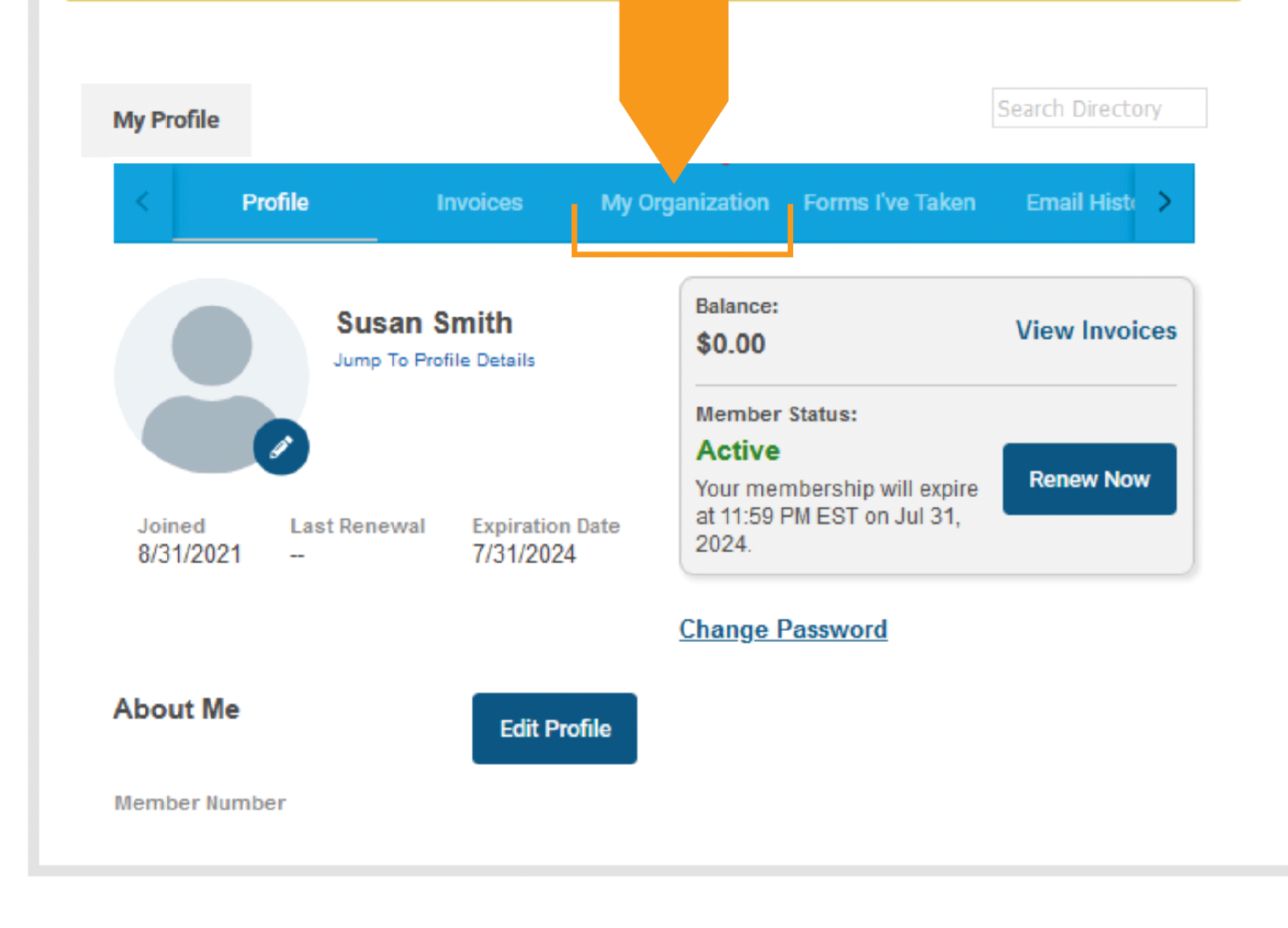
Log into the NGMA website (NGMA.org). You will be directed to your profile.

You may edit your information on this screen. You may also click on My Organization to see information about your group.
Click image to enlarge

Updating Billing Contact

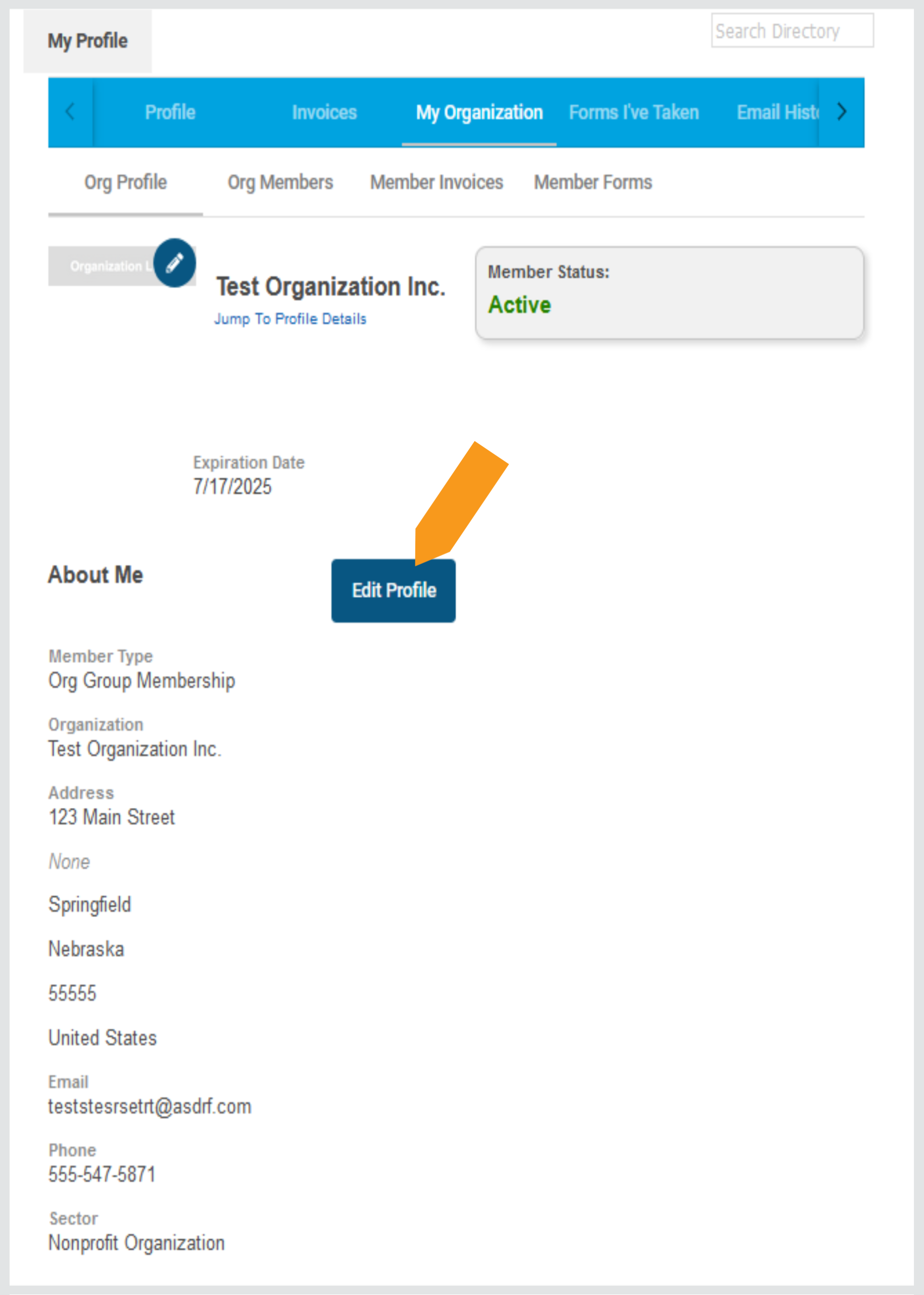
Under My Organization, select Edit Profile to change the billing contact email, phone number or mailing address for your group. These addresses are where renewal invoices will be sent, so it is important to keep them updated.
Click image to enlarge

Updating Group Members & Selecting a Key Contact

You may add / remove / replace a member during this step.

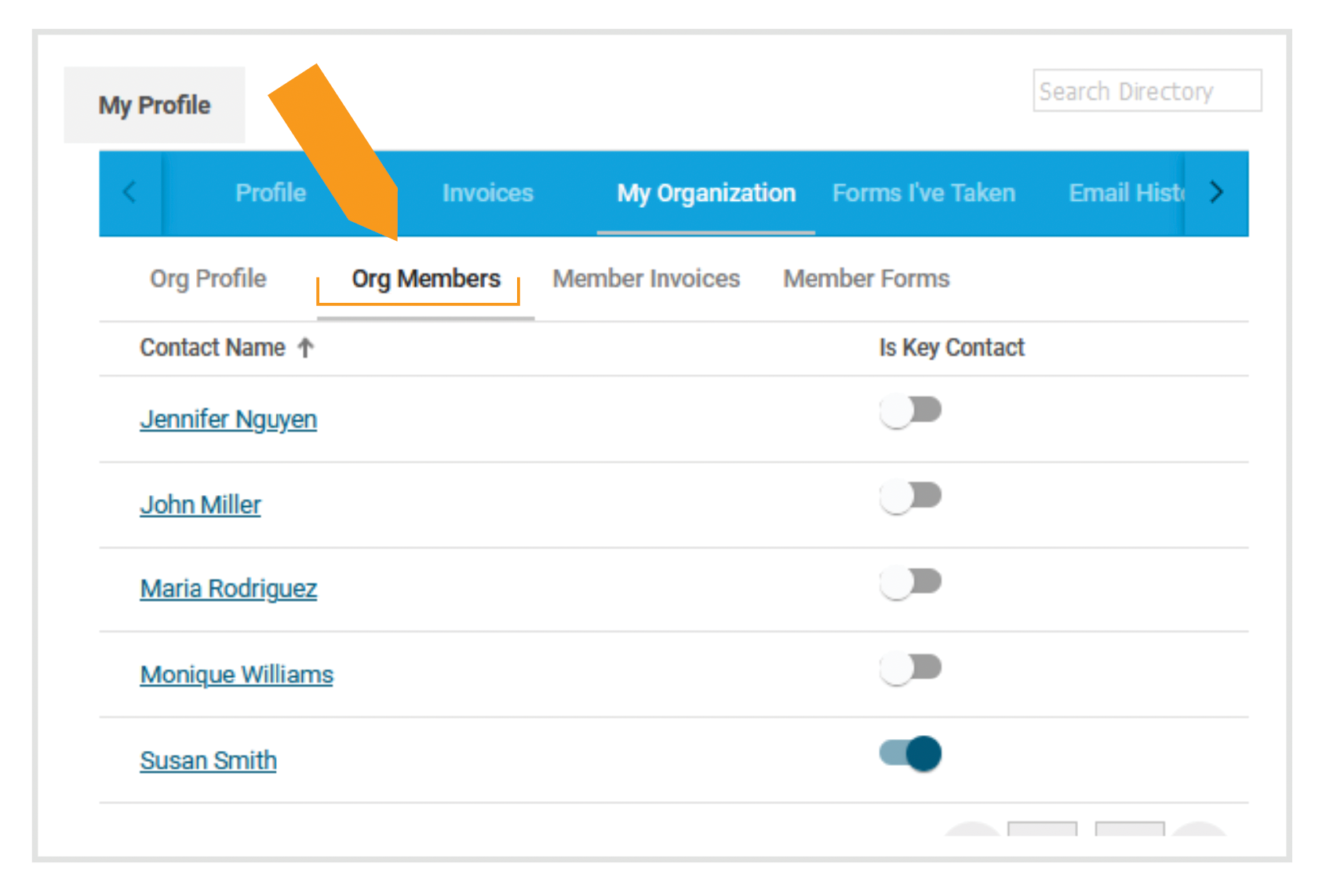
  • Under My Organization, select Org Members to view a list of members on your group account.
  • To edit any group member’s information, click on a person’s name.
  • Your account may have multiple key contacts, if needed. Any key contact may register group members for events or edit contact information for any group member. You may select the toggle switch by each name to designate key contact(s).

Note: The key contact is different from the billing contact.
Click image to enlarge

  • Send an email to info@ngma.org. Please include the Full Name, Email Address, Job Title and Phone Number for any new people you want to add. If the new person works or resides at a location other than your main office, please include their mailing address as well.

    If you have several individuals to add, please send the above information in a spreadsheet.

  • NGMA will send you a prorated invoice that covers the remaining months of that person’s membership.

    Ex: If your group’s account expires in March and you add a new person in September, we will invoice you for seven months of membership (September-March). After the current membership term expires, the new person will renew with the rest of the group.

  • Important note: If the member you want to add already has an individual membership, NGMA will need their written consent to make the transfer. They may email their consent to info@ngma.org. 

If replacing a member, email info@ngma.org and include the name of the person being replaced, along with the above-detailed contact information for the new member.

If your new member is replacing an existing member, there is no charge.

Email info@ngma.org with the name of the member to remove from your account. If you don’t have anyone to replace them, the original member will retain their membership through the end of the group’s current membership term or when you provide their replacement’s information, whichever comes first.

Reviewing Invoices

  • Click on Member Invoices to view any open invoices.

  • You may filter your invoices by Invoices with Balance Due or All Invoices (including paid and voided).

  • Click on an invoice number to view, download and/or pay the invoice.

Your group’s key contact(s) may register anyone in your group for NGMA events so that everyone’s registration fees appear in a single invoice.

Note: Only the key contact will receive the registration confirmation email (includes invoice), but each registrant will receive event attendance information individually as the event approaches.

To register group members for an event:

  • Log in on the NGMA website (NGMA.org) and find the event registration page.
  • After clicking the event REGISTER button, you will see two options:

Click image to enlarge

  • Select Register Linked Profile to select the group members to register:

Click image to enlarge

Once you select a profile, you may complete that person’s registration form. You may edit any of their details except their name.

  • When finished registering the first person, at the bottom of the form you will again see the Register Yourself and Register Linked Profile Add additional people to the group registration by selecting another name and repeating the above registration process for each person.
  • Once the full group is registered, click the Next button to view a summary of your group registrations.

Click image to enlarge

  • To make changes, select the Previous If you are finished, click Next.
  • The next screen will ask you how you would like to pay. Select Pay Now or Invoice Me.
    • If you select Pay Now: You will be able to enter your credit card details.
    • If you select Invoice Me: * You will be able to enter an email address to send the invoice.

Only you (key contact) will receive the registration confirmation email, but as the event approaches, each registrant will receive event details individually via email.

* For NGMA’s Annual Grants Training, GMBoK Training© and Virtual Fall Forum, the Invoice Me option is deactivated a few weeks before the event date. The invoice cutoff date is clearly stated on these event pages. If you register your group for an event after the Invoice Me option has been deactivated, you must pay in full at time of registration.