Learn more: 2026 Annual Grants Training

Managing Your Group Account

The key contact of a group may manage the group’s account on the NGMA website.

On this page:

Accessing & Reviewing a Group Account

Log into the NGMA website (NGMA.org). You will be directed to your profile.

You may edit your information on this screen. You may also click on My Organization to see information about your group.
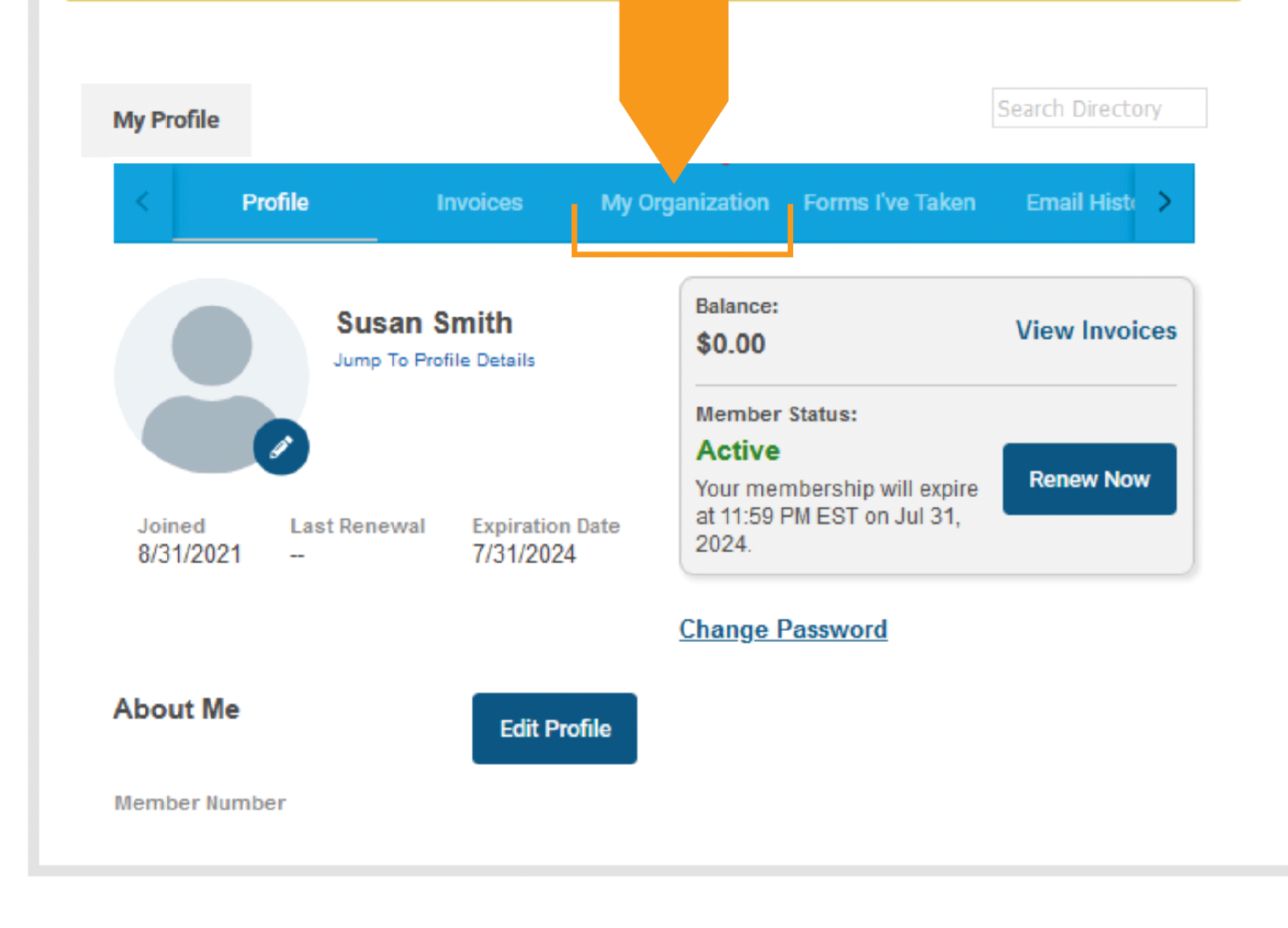
Click image to enlarge

Updating Billing Contact

Under My Organization, select Edit Profile to change the billing contact email, phone number or mailing address for your group. These addresses are where renewal invoices will be sent, so it is important to keep them updated.
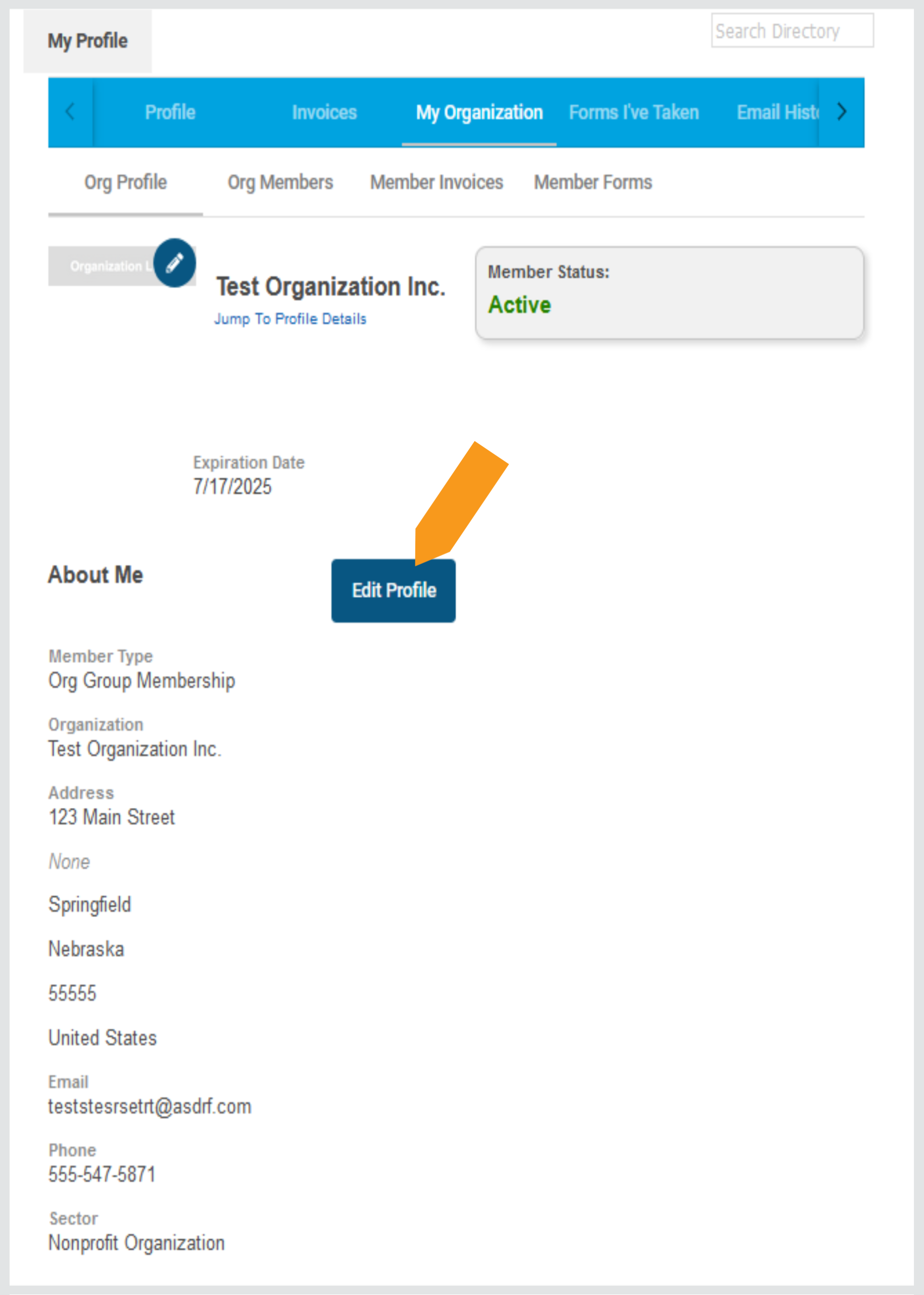
Click image to enlarge

Updating Group Members & Selecting a Key Contact

You may add / remove / replace a member during this step.

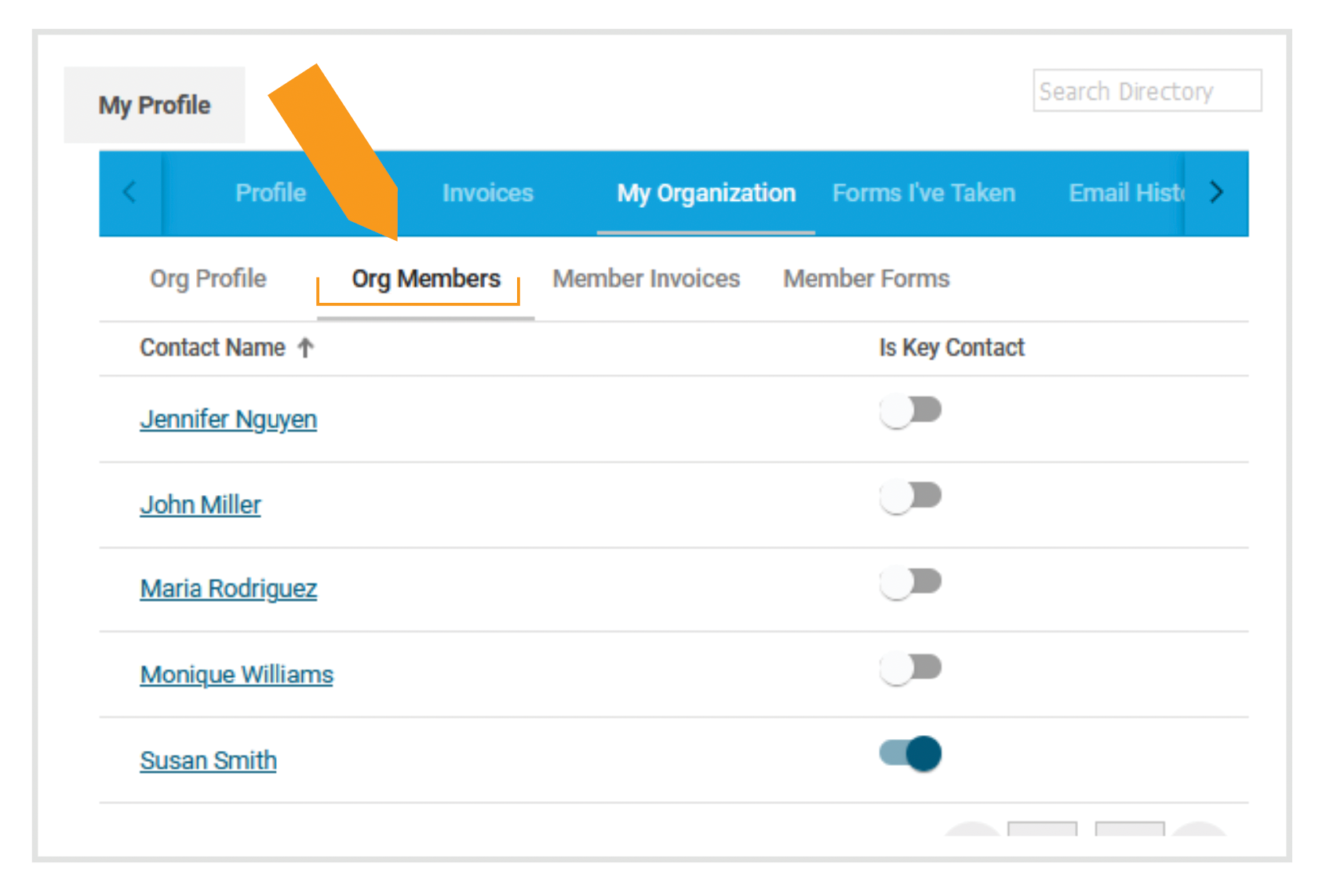
  • Under My Organization, select Org Members to view a list of members on your group account.
  • To edit any group member’s information, click on a person’s name.
  • Your account may have multiple key contacts, if needed. Any key contact may register group members for events or edit contact information for any group member. You may select the toggle switch by each name to designate key contact(s).

Note: The key contact is different from the billing contact.
Click image to enlarge

  • Send an email to info@ngma.org. Please include the Full Name, Email Address, Job Title and Phone Number for any new people you want to add. If the new person works or resides at a location other than your main office, please include their mailing address as well.

    If you have several individuals to add, please send the above information in a spreadsheet.

  • NGMA will send you a prorated invoice that covers the remaining months of that person’s membership.

    Ex: If your group’s account expires in March and you add a new person in September, we will invoice you for seven months of membership (September-March). After the current membership term expires, the new person will renew with the rest of the group.

  • Important note: If the member you want to add already has an individual membership, NGMA will need their written consent to make the transfer. They may email their consent to info@ngma.org. 

If replacing a member, email info@ngma.org and include the name of the person being replaced, along with the above-detailed contact information for the new member.

If your new member is replacing an existing member, there is no charge.

Email info@ngma.org with the name of the member to remove from your account. If you don’t have anyone to replace them, the original member will retain their membership through the end of the group’s current membership term or when you provide their replacement’s information, whichever comes first.

Reviewing Invoices

  • Click on Member Invoices to view any open invoices.

  • You may filter your invoices by Invoices with Balance Due or All Invoices (including paid and voided).

  • Click on an invoice number to view, download and/or pay the invoice.